


Download My Maestor
The app is free for iPhone and Android. You have one account: search for specialists, chat with them, follow your orders and get notifications on your phone.

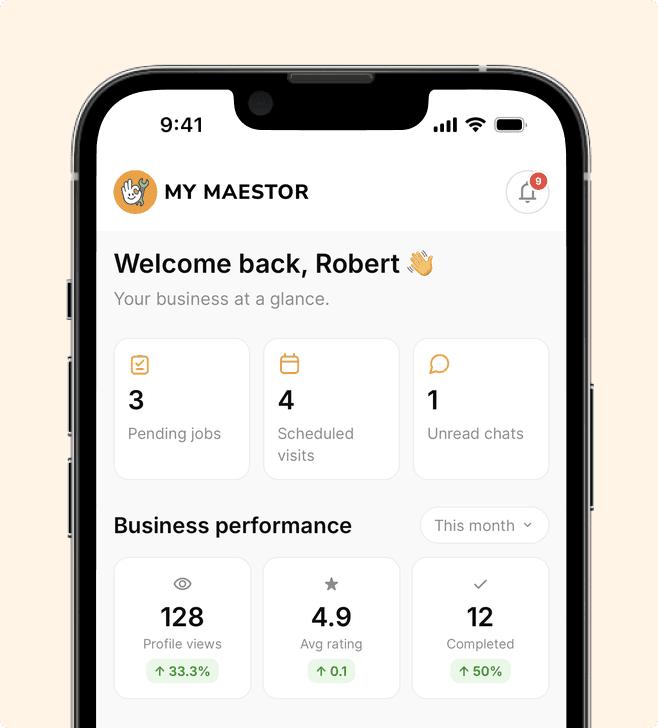
What the app adds
Search and specialist profiles also work on the website. The app is handy when you are waiting for a specialist's reply or managing appointments.
- For everyone
New message notifications
Know right away when you get a new message.
- With a subscription
Calendar
Manage your calendar and free hours and see your scheduled visits.
- For everyone
Photos from your phone
Photograph the problem and send it in the chat straight from the camera.
- For everyone
One account
Search and chat with the same account you use to offer services: just add a specialist profile.
Questions about the app
Can’t find an answer? Write to us at support@mymaestor.com.
Is it free for customers?
Yes. Customers pay no fee to My Maestor. The price of the work is agreed directly with the specialist.
Do I need the app?
No, it is optional. Search, specialist profiles, the chat, orders and reviews also work on the website once you sign in. The iOS and Android app is an additional way to use My Maestor from your phone.
Do I need two accounts to search and to offer services?
No. One account can search for specialists and message them. If you offer services, you add a specialist profile to the same account.
Which phones are supported?
iPhone through the App Store and Android phones through Google Play.